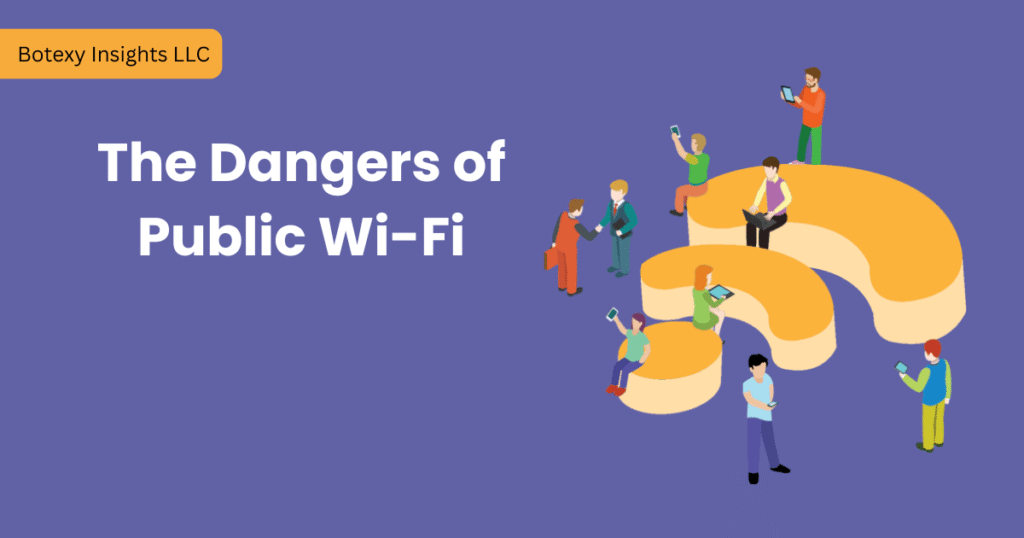
The Invisible Hunter in the Coffee Shop
Imagine you are sitting in a cozy Starbucks in Manhattan or waiting for your flight at LAX. You see a network called “Free_Airport_WiFi” or “Starbucks_Guest.” You click connect, check your bank balance and reply to a few work emails. Everything seems normal.
But in 2026, “normal” is often a trap.
Public Wi-Fi has always been risky, but in 2026, the threats have evolved. Hacking is no longer just for experts; with Autonomous AI Attackers, even a novice can intercept your data in milliseconds. At Botexy, we believe that “Free Wi-Fi” is never truly free, you are often paying with your privacy.
This comprehensive guide will break down the terrifying new threats of 2026 and give you a battle-tested checklist to stay invisible to hackers.
Why Public Wi-Fi is More Dangerous in 2026
The standard “Man-in-the-Middle” attacks of 2024 have been replaced by more sophisticated methods.
1. AI-Powered Password Guessing
In 2026, attackers use machine learning models that can predict weak passwords based on your social media patterns and previous data breaches. If you use a simple password for the Wi-Fi login, an AI bot can crack it in seconds.
2. The “Evil Twin” 2.0
Hackers set up rogue hotspots with names identical to legitimate ones. In 2026, these “Evil Twins” use Deepfake Login Pages. They look exactly like the Marriott or Delta login screens, making it impossible for the average user to spot the difference.
3. WPA2/WPA3 KRACK Vulnerabilities
While WPA3 was supposed to be the “savior” of Wi-Fi security, new vulnerabilities discovered in late 2025 (often called KRACK 2.0) allow hackers to decrypt traffic even on supposedly “secure” public networks if the router’s firmware is outdated.
4. Hotel Wi-Fi: The 20% Rule
Recent 2026 data shows that 20% of all personal data theft on public Wi-Fi happens in hotels. Why? Because travelers are relaxed, and hotel networks often prioritize “ease of use” over “high security.”
The 10 Rules of Safe Wi-Fi for 2026
Rule 1: Always Use a VPN (Virtual Private Network)
In 2026, a VPN is not an “option”—it is a requirement. A VPN like NordVPN or Surfshark creates an encrypted tunnel for your data. Even if a hacker intercepts your connection, all they will see is gibberish code.
- Pro-Tip: Enable the “Kill Switch” feature. If the VPN connection drops, your internet will immediately cut off, preventing any data leaks.
Rule 2: Disable “Auto-Connect” and “Network Discovery”
Your phone is constantly “screaming” for a connection.
Action Item: Go to your settings and turn off “Auto-Join Networks.” Also, turn off Bluetooth when you are not using it. Hackers use Bluetooth signals to identify your device type and find specific exploits.
Rule 3: Forget the Network After Use
Once you leave the airport or cafe, your device remembers that network. A hacker can set up a fake network with that same name a week later, and your phone will automatically connect to it.
- Pro-Tip: Always click “Forget Network” as soon as you are done.
Rule 4: Look for “WPA3” Labels
In 2026, many high-end cafes in the US have upgraded to WPA3. When you click on a network, check the “Security Type” in your phone’s Wi-Fi settings. If it says “Open” or “WPA2 (Insecure),” avoid it.
Rule 5: Use “Alternative ID” for Captive Portals
Many Wi-Fi networks ask for your name and email to log in. In 2026, hackers sell these email lists to spammers.
- Tool Recommendation: Use Surfshark’s Alternative ID or a burner email service to keep your real identity safe from marketing databases and phishing attempts.
Rule 6: Enable WAF (Web Application Firewall)
Most modern operating systems (Windows 11/12 and macOS 16) have built-in firewalls. Ensure they are set to “Public” mode. This prevents other people on the same Wi-Fi network from seeing your folders or “pinging” your device.
Rule 7: Never Perform Sensitive Transactions
This should be a golden rule. Never:
- Log into your Bank of America or Chase account.
- Buy anything using your credit card.
- Log into government portals (like the IRS or SSA).
- Workaround: If you must do these things, switch to your 5G/6G Mobile Data.
Rule 8: Verify the Network Name with Staff
Don’t assume “Starbucks_Guest_5G” is the real one.
- Action Item: Ask the barista, “What is the exact name of your Wi-Fi?” Sometimes hackers add a single extra letter (e.g., “Starbuckss_Guest”) to trick you.
Rule 9: Check for the “S” in HTTPS
Ensure every site you visit has the padlock icon. In 2026, most browsers (Chrome/Safari) warn you automatically, but some mobile apps might not.
- My Advice: Use a browser extension like HTTPS Everywhere to force a secure connection.
Rule 10: Use a Personal Hotspot (The Best Option)
If you have an unlimited data plan, your phone’s hotspot is 100 times safer than any public Wi-Fi. Since you control the password and the encryption, you eliminate the “Man-in-the-Middle” risk entirely.
Comparison Table – Public Wi-Fi Risks vs. Solutions
The Threat | The 2026 Solution | Effectiveness |
Evil Twin Hotspot | VPN + Manual Network Verification | 99% |
Packet Sniffing | AES-256 Encryption (VPN) | 100% |
Malware Injection | Threat Protection Pro (NordVPN) | 90% |
Phishing Login Pages | Multi-Factor Authentication (MFA) | 95% |
Data Scraping | Alternative ID / Burner Email | 100% |
What to Do if You Think You’ve Been Hacked?
If your device starts acting weird (getting hot, battery draining fast, or strange pop-ups), follow these steps:
- Disconnect Immediately: Turn off Wi-Fi and Bluetooth.
- Change Passwords: Using a different device and a different network, change your primary email and bank passwords.
- Check MFA Logs: See if anyone tried to log in from a different location.
- Run a Deep Scan: Use a reputable antivirus (like Bitdefender or Malwarebytes) to check for any “RATs” (Remote Access Trojans).
The Corporate Perspective – Remote Work Safety
If you are a remote worker in the USA, your company might have strict policies about public Wi-Fi. In 2026, “Zero Trust” architecture is becoming the standard. This means even if you are on the company VPN, your device is constantly being verified.
- Advice for Employees: Always use your company-issued GlobalProtect or Cisco AnyConnect VPN before opening Slack or Zoom.
Stay Vigilant, Stay Safe
The convenience of free Wi-Fi is tempting, but in the hyper connected world of 2026, a single mistake can lead to identity theft. By following the 10 rules outlined in this Botexy guide, you can enjoy your latte and your internet without becoming a target.
Remember: When in doubt, use your mobile data. Your data is worth more than a few saved megabytes.

I’m Rashedul, a Web Developer and founder of Botexy. I analyze AI, web tech and digital security to deliver practical, data driven insights that help you stay secure, informed and ahead in the digital world.